Widget Types
Hyvä Commerce ships with a whole set of admin dashboard widget types out of the box, and we keep adding more. Each widget type below documents its Display Properties (options that control how the widget looks) and its Configurable Properties (the data the widget pulls in). Here are the widget types currently available in Hyvä Commerce:
- Abandoned Carts
- Average Order Value
- Best Selling Products
- Checklist
- Customer Order Totals
- Google CrUX History
- Hyvä CMS Scheduled Releases
- Launchpad
- Links
- Module Versions
- Most Viewed Products
- New Customers
- Orders by Country
- Order Volume
- Recent Orders
- Recently Edited Categories
- Recently Edited CMS Blocks
- Recently Edited CMS Pages
- Recently Edited Hyvä CMS Menus
- Recently Edited Products
- Sales Figures
- Sales Funnel Activity
- Search Activity
- Text
- Top Coupons
Abandoned Carts
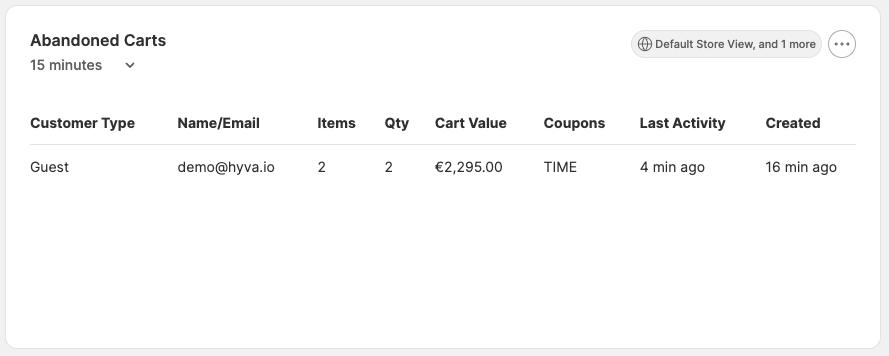
The Abandoned Carts widget displays carts that customers have started but not completed within a configurable
abandonment window. Each row links to the cart's customer record where applicable.
Display Properties
| Name | Purpose | Required (Y/N) |
|---|---|---|
| Default Interval | Initial data time period to display. | Y |
| Show Total Quantity of Items | Display the total number of items in each cart. | N |
| Show Applied Coupon Codes | Display any coupon codes that have been applied to the cart. | N |
| Show Cart Creation Date | Display the date and time the cart was created. | N |
Configurable Properties
| Name | Purpose | Required (Y/N) |
|---|---|---|
| Store Views | Which store views to include during calculation. | Y |
| Customer Types to Include | Choose between registered customers, guest customers, or both. | Y |
| Use Subtotal or Grand Total | Sets which total value to display. | Y |
| Number of Carts to Display | How many abandoned carts should be shown. | Y |
| Minutes Before Cart is Abandoned | Time threshold after which a cart is considered abandoned. | Y |
Average Order Value
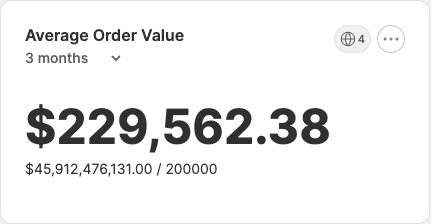
The Average Order Value widget displays the average order value for orders in a given set of states for selected
stores.
Display Properties
| Name | Purpose | Required (Y/N) |
|---|---|---|
| Default Interval | Initial data time period to display. | Y |
Configurable Properties
| Name | Purpose | Required (Y/N) |
|---|---|---|
| Store Views | Which store views to include during calculation. | Y |
| Eligible Order Statuses | Set of order statuses to consider during calculation. | Y |
Best Selling Products
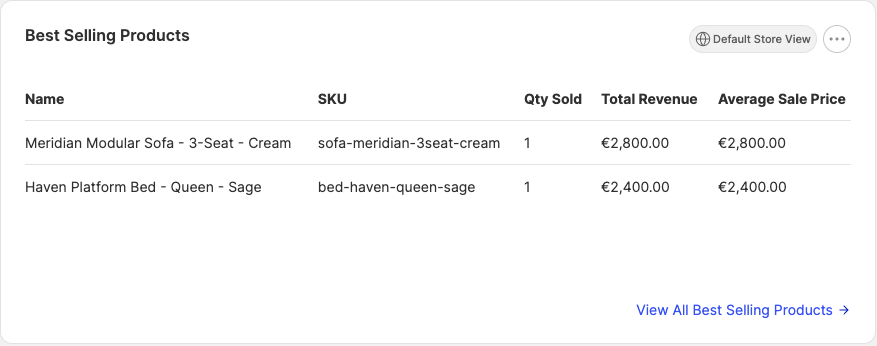
The Best Selling Products widget displays a number of the best-selling products from selected stores over a given
period.
Display Properties
| Name | Purpose | Required (Y/N) |
|---|---|---|
| Interval | Time period to display data for. | Y |
Configurable Properties
| Name | Purpose | Required (Y/N) |
|---|---|---|
| Store Views | Which store views to include during calculation. | Y |
| Number of Products to Display | How many products should be displayed. | Y |
Checklist
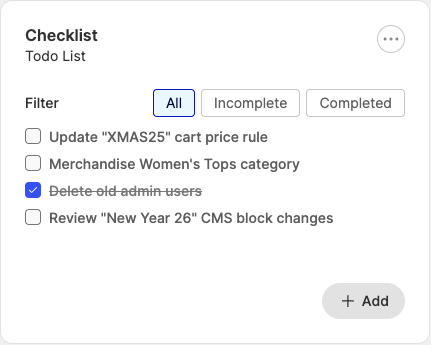
The Checklist widget displays a user-specified series of labels and checkboxes.
Display Properties
| Name | Purpose | Required (Y/N) |
|---|---|---|
| Description | Personal widget description. | N |
| Show Filters | Add buttons to show all items, completed items, or incomplete items. | Y |
| Sort Items | Add a button to separate completed items from incomplete ones. | Y |
Configurable Properties
| Name | Purpose | Required (Y/N) |
|---|---|---|
| Done | Determines whether the checkbox is checked or not. | Y |
| Item Name | Label content. | Y |
Adding and Removing Items
Clicking Add button at the bottom of the Configurable Properties section will add an additional item to the
widget while clicking the trash icon will remove the associated item.
Customer Order Totals
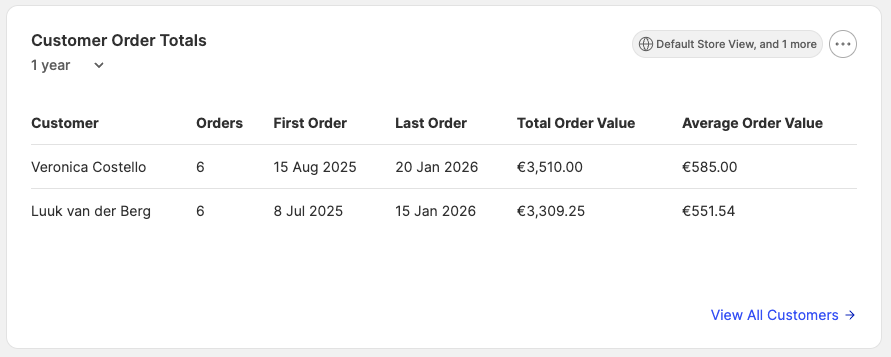
The Customer Order Totals widget displays the customers who have spent the most across the selected store views and
date range, along with the number of orders they have placed and their cumulative total.
Display Properties
| Name | Purpose | Required (Y/N) |
|---|---|---|
| Default Interval | Initial data time period to display. | Y |
Configurable Properties
| Name | Purpose | Required (Y/N) |
|---|---|---|
| Store Views | Which store views to include during calculation. | Y |
| Number of Customers to Display | How many customers should be displayed. | Y |
| Eligible Order Statuses | Set of order statuses to consider during calculation. | Y |
Google CrUX History
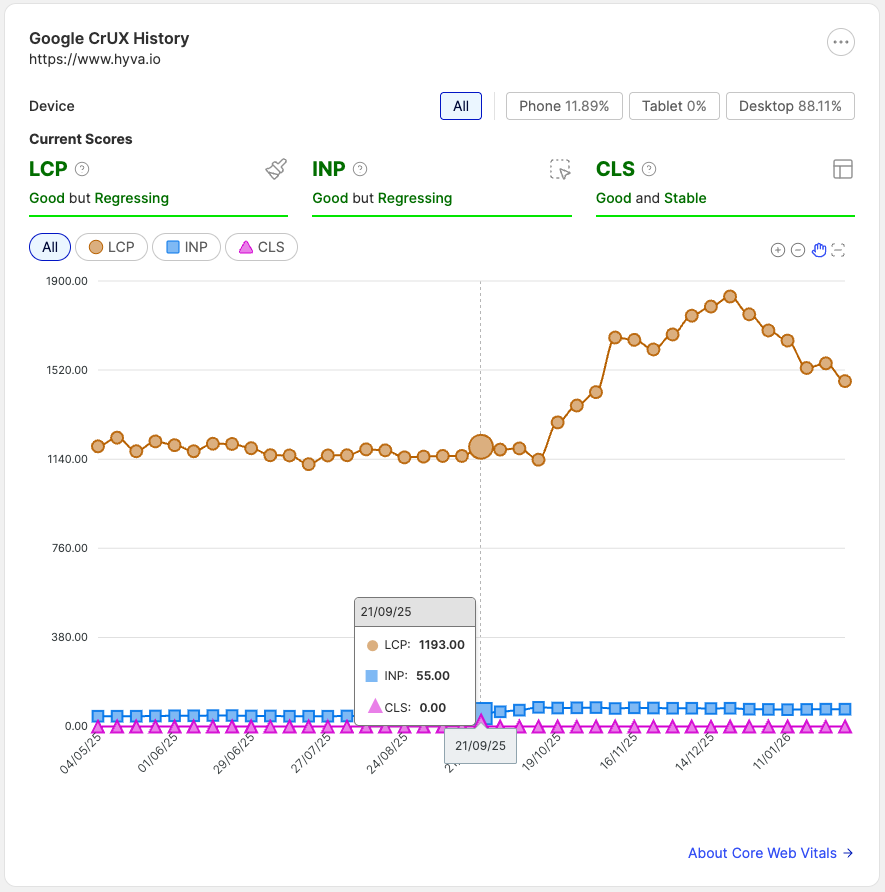
The Google CrUX History widget displays information about the
Core Web Vitals of a given website or webpage.
Warning
This widget type is only available when the Hyva_AdminDashboardGoogleCruxHistoryWidget module is installed and enabled.
Display Properties
| Name | Purpose | Required (Y/N) |
|---|---|---|
| Default Interval | Initial data time period to display. | Y |
| Use Logarithmic Scale | Set whether the Y-axis displays raw metric values on a logarithmic scale. | Y |
Configurable Properties
| Name | Purpose | Required (Y/N) |
|---|---|---|
| Use Custom URL | Choose whether the widget should report on a given store view or a custom URL. | Y |
| Store View | The store view to measure. | Y |
| URL | The URL to measure. | Y |
| Collect Data for the Origin? | Choose whether data is collected for a specific page or the website as a whole. | Y |
URLs
Only one of Store View or URL is required. The Store View property is used when Use Custom URL is disabled,
otherwise the URL property is used.
Hyvä CMS Scheduled Releases
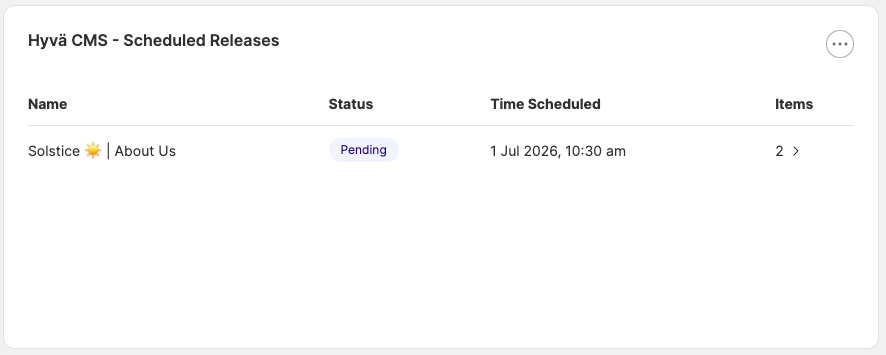
The Hyvä CMS Scheduled Releases widget lists upcoming or recently completed Hyvä CMS releases - including the release
name, scheduled publish date, and the entities (CMS pages, blocks, menus, etc.) included in each release. Each row links
through to the release for further inspection.
Warning
This widget type is only available when the Hyva_AdminDashboardCmsWidgets module is installed and enabled.
Configurable Properties
| Name | Purpose | Required (Y/N) |
|---|---|---|
| Number of Releases to Display | How many releases should be shown. | Y |
| From Date | Lower bound on the scheduled publish date. | N |
| To Date | Upper bound on the scheduled publish date. | N |
| Release Status | Filter to show pending, completed, or all releases. | Y |
Launchpad
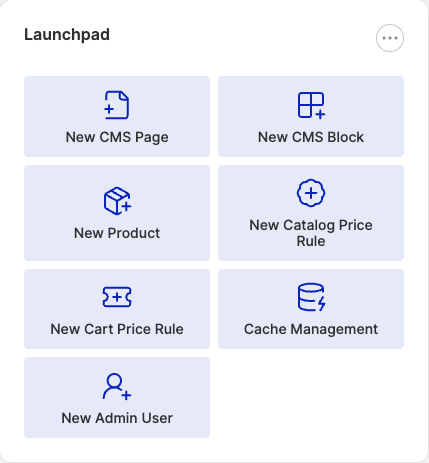
The Launchpad widget provides quick access to a number of common admin actions such as CMS content creation and
catalog management etc.
Configurable Properties
| Name | Purpose | Required (Y/N) |
|---|---|---|
| Link Type | Type of action to include. | Y |
| Open in New Tab | Whether the action opens in a new browser tab. | Y |
Links
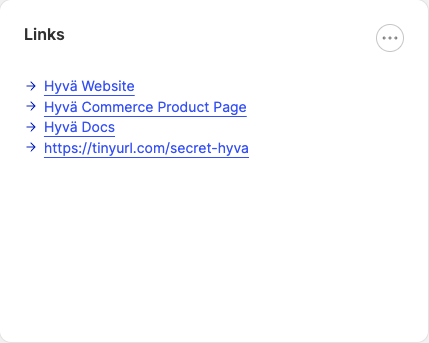
The Links widget displays a series of user-configured links or bookmarks.
Display Properties
| Name | Purpose | Required (Y/N) |
|---|---|---|
| Description | Personal widget description. | N |
Configurable Properties
| Name | Purpose | Required (Y/N) |
|---|---|---|
| URL | The URL the link points to. | Y |
| Open in New Tab | Whether the link opens in a new browser tab. | Y |
| Title | The link label shown on the dashboard. | Y |
Adding and Removing Items
Clicking Add button at the bottom of the Configurable Properties section will add an additional item to the
widget while clicking the trash icon will remove the associated item.
Module Versions
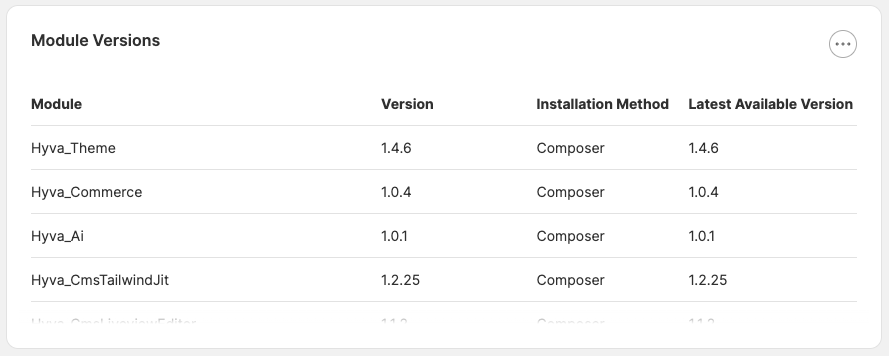
The Module Versions widget lists the installed Magento module and Composer package versions for one or more configured
vendors.
Configurable Properties
| Name | Purpose | Required (Y/N) |
|---|---|---|
| Vendors | Composer vendor names to include (e.g. hyva-themes, magento). |
Y |
| Show Latest Available Versions | Whether to query Composer for the latest available version of each package. | N |
Most Viewed Products
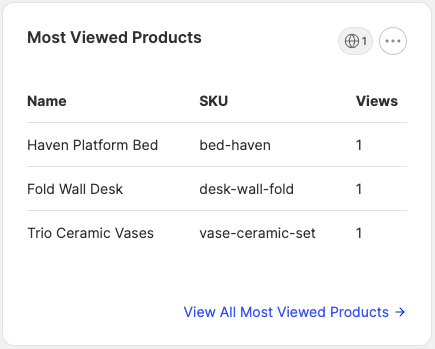
The Most Viewed Products widget displays a number of the most viewed products from selected stores over a given
period.
Display Properties
| Name | Purpose | Required (Y/N) |
|---|---|---|
| Interval | Time period to display data for. | Y |
Configurable Properties
| Name | Purpose | Required (Y/N) |
|---|---|---|
| Store Views | Which store views to include during calculation. | Y |
| Number of Products to Display | How many products should be displayed. | Y |
New Customers
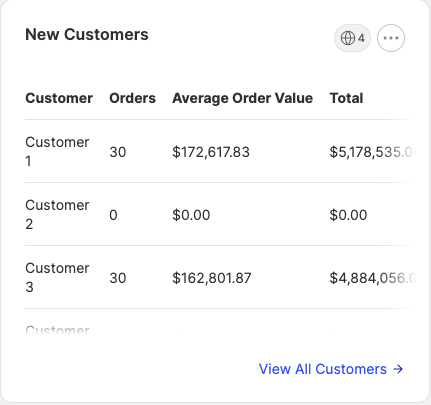
The New Customers widget displays the newest customers from selected stores, along with their name, the number of
orders they have placed, their average order value, and their total spend.
Configurable Properties
| Name | Purpose | Required (Y/N) |
|---|---|---|
| Store Views | Which store views to include during calculation. | Y |
| Number of Customers to Display | How many customers should be displayed. | Y |
Orders by Country
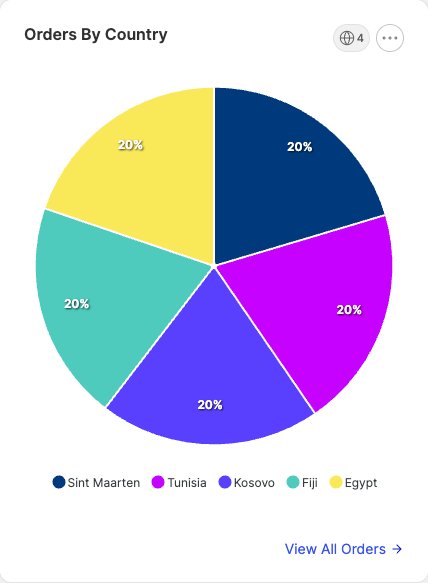
The Orders by Country widget displays a pie chart of the countries responsible for placing the most orders.
Display Properties
| Name | Purpose | Required (Y/N) |
|---|---|---|
| Number of Countries to Display | How many countries should be displayed. | Y |
| Group Non-Top Countries | Sets whether to include an "Other" segment to list all other countries. | Y |
Configurable Properties
| Name | Purpose | Required (Y/N) |
|---|---|---|
| Store Views | Which store views to include during calculation. | Y |
| Determine Country Using | Set how to determine the order country. | Y |
| Eligible Order Statuses | Set of order statuses to consider during calculation. | Y |
Order Volume
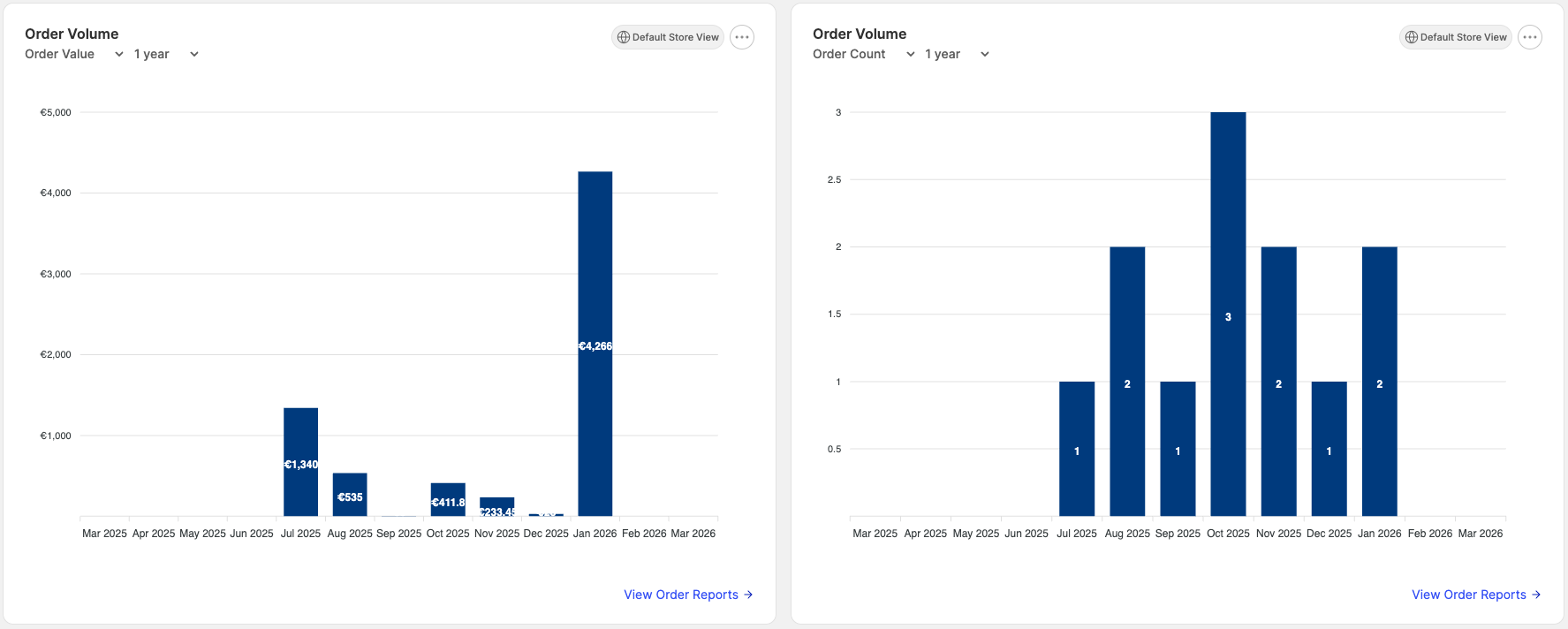
The Order Volume widget shows a line graph of the number of orders placed per day.
Configurable Properties
| Name | Purpose | Required (Y/N) |
|---|---|---|
| Store Views | Which store views to include during calculation. | Y |
| Eligible Order Statuses | Set of order statuses to consider during calculation. | Y |
Recent Orders
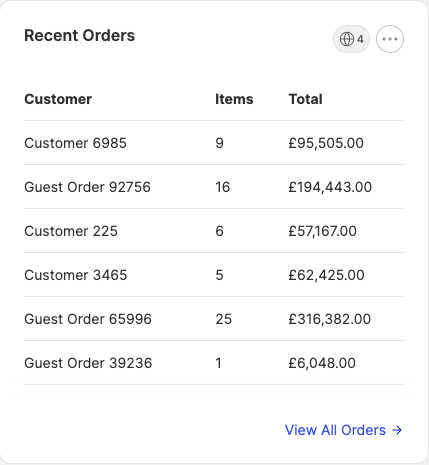
The Recent Orders widget shows a number of recent orders - including the customer name, the number of items purchased,
and the order total.
Configurable Properties
| Name | Purpose | Required (Y/N) |
|---|---|---|
| Store Views | Which store views to include during calculation. | Y |
| Number of Orders to Display | How many orders should be displayed. | Y |
Recently Edited Categories
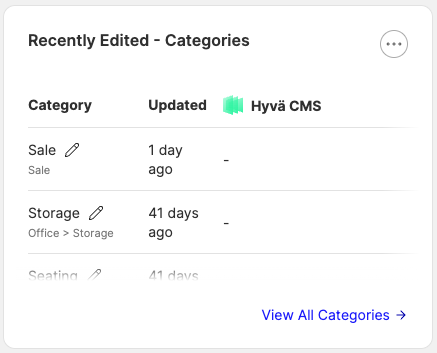
The Recently Edited Categories widget lists the categories that were most recently updated across the selected scope.
Each row links through to the category in the admin panel.
Display Properties
| Name | Purpose | Required (Y/N) |
|---|---|---|
| Show Categories ID Column | Display the category ID alongside the name. | N |
| Show Store Views Column | Display the store views the category is assigned to. | N |
| Show Websites Column | Display the websites the category is assigned to. | N |
| Show Category Path | Display the full category path. | N |
| Show Root Category in Path | Include the root category at the start of the displayed path. | N |
| Include Disabled Categories | Whether disabled categories should appear in the list. | N |
Configurable Properties
| Name | Purpose | Required (Y/N) |
|---|---|---|
| Filter by Store Views | Limit the list to categories on the selected store views. | N |
| Filter by Websites | Limit the list to categories on the selected websites. | N |
| Filter by Root Categories | Limit the list to descendants of the selected root categories. | N |
| Number of Categories to Display | How many categories should be displayed. | Y |
Recently Edited CMS Blocks
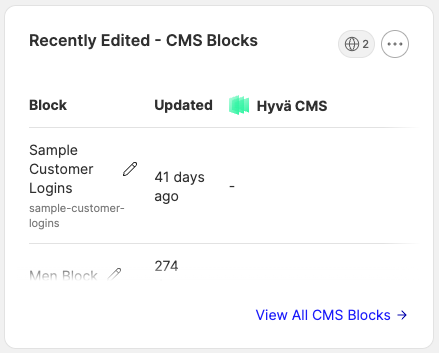
The Recently Edited CMS Blocks widget lists the static blocks that were most recently updated. Each row links through
to the block editor.
Hyvä CMS integration
When Hyva_AdminDashboardCmsWidgets is installed alongside Hyvä CMS, this widget surfaces Hyvä CMS block edits
alongside the Magento defaults.
Display Properties
| Name | Purpose | Required (Y/N) |
|---|---|---|
| Show Blocks ID Column | Display the block ID alongside the title. | N |
| Show Store Views Column | Display the store views the block is assigned to. | N |
| Include Disabled Blocks | Whether disabled blocks should appear in the list. | N |
Configurable Properties
| Name | Purpose | Required (Y/N) |
|---|---|---|
| Filter by Store Views | Limit the list to blocks on the selected store views. | N |
| Number of Blocks to Display | How many blocks should be displayed. | Y |
Recently Edited CMS Pages
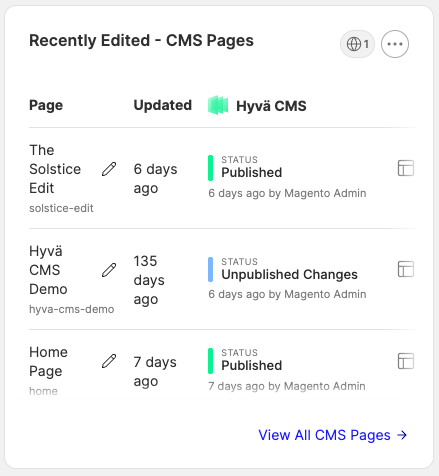
The Recently Edited CMS Pages widget lists the CMS pages that were most recently updated. Each row links through to
the page editor.
Hyvä CMS integration
When Hyva_AdminDashboardCmsWidgets is installed alongside Hyvä CMS, this widget surfaces Hyvä CMS page edits
alongside the Magento defaults.
Display Properties
| Name | Purpose | Required (Y/N) |
|---|---|---|
| Show Pages ID Column | Display the page ID alongside the title. | N |
| Show Store Views Column | Display the store views the page is assigned to. | N |
| Include Disabled Pages | Whether disabled pages should appear in the list. | N |
Configurable Properties
| Name | Purpose | Required (Y/N) |
|---|---|---|
| Filter by Store Views | Limit the list to pages on the selected store views. | N |
| Number of Pages to Display | How many pages should be displayed. | Y |
Recently Edited Hyvä CMS Menus
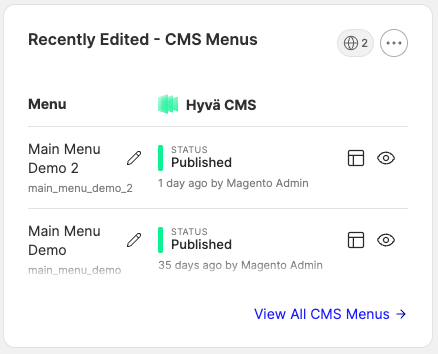
The Recently Edited Hyvä CMS Menus widget lists the menus from Hyvä CMS's menu builder that were most recently
updated. Each row links through to the menu builder.
Warning
This widget type is only available when the Hyva_AdminDashboardCmsWidgets module is installed alongside Hyvä CMS.
Display Properties
| Name | Purpose | Required (Y/N) |
|---|---|---|
| Show Menus ID Column | Display the menu ID alongside the name. | N |
| Show Store Views Column | Display the store views the menu is assigned to. | N |
Configurable Properties
| Name | Purpose | Required (Y/N) |
|---|---|---|
| Filter by Store Views | Limit the list to menus on the selected store views. | N |
| Number of Menus to Display | How many menus should be displayed. | Y |
Recently Edited Products
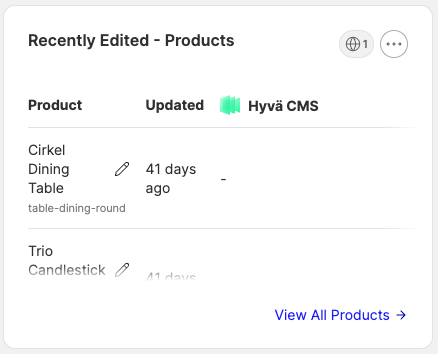
The Recently Edited Products widget lists the catalog products that were most recently updated. Each row links through
to the product in the admin panel.
Display Properties
| Name | Purpose | Required (Y/N) |
|---|---|---|
| Show Products ID Column | Display the product ID alongside the name. | N |
| Show Store Views Column | Display the store views the product is assigned to. | N |
| Show Websites Column | Display the websites the product is assigned to. | N |
| Include Disabled Products | Whether disabled products should appear in the list. | N |
Configurable Properties
| Name | Purpose | Required (Y/N) |
|---|---|---|
| Filter by Store Views | Limit the list to products on the selected store views. | N |
| Filter by Websites | Limit the list to products on the selected websites. | N |
| Filter by Root Categories | Limit the list to products in the selected category trees. | N |
| Number of Products to Display | How many products should be displayed. | Y |
Sales Figures
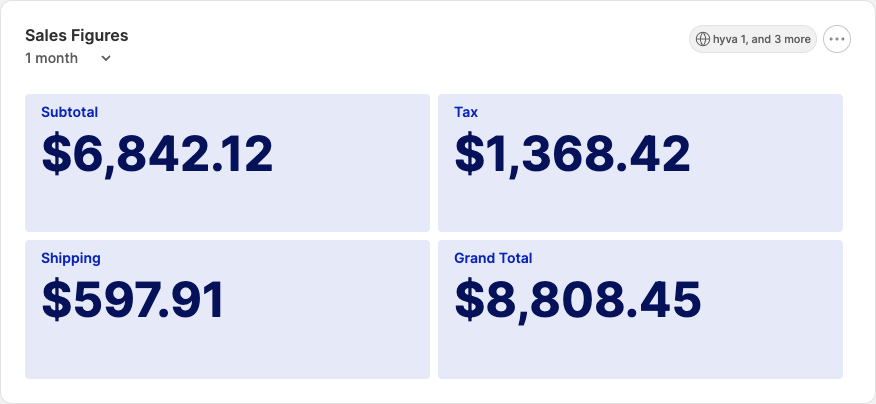
The Sales Figures widget shows a number of different totals values - filterable by store, order status, and time
period.
Display Properties
| Name | Purpose | Required (Y/N) |
|---|---|---|
| Default Interval | Initial data time period to display. | Y |
Configurable Properties
| Name | Purpose | Required (Y/N) |
|---|---|---|
| Store Views | Which store views to include during calculation. | Y |
| Order Status | Which order statuses to include during calculation. | Y |
| Figures | Which totals data to include during calculation. | Y |
Sales Funnel Activity
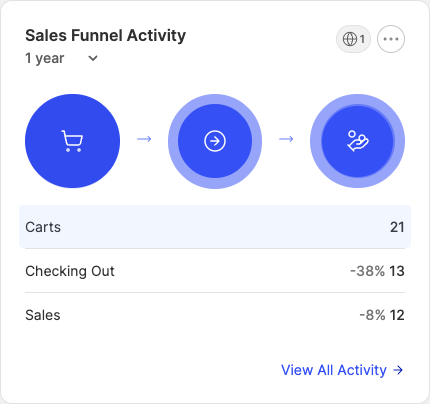
The Sales Funnel Activity widget shows the number of customers with items in their basket, the number of customers
in the process or checking out, and the number of customers who have completed their order.
Display Properties
| Name | Purpose | Required (Y/N) |
|---|---|---|
| Default Interval | Initial data time period to display. | Y |
Configurable Properties
| Name | Purpose | Required (Y/N) |
|---|---|---|
| Store Views | Which store views to include during calculation. | Y |
Search Activity
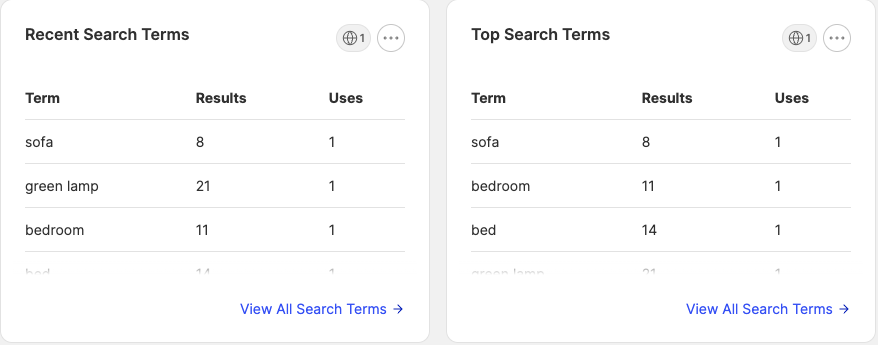
The Search Activity widget displays a number of the most recent or most popular search terms for selected stores.
Configurable Properties
| Name | Purpose | Required (Y/N) |
|---|---|---|
| Sort By | Choose whether to show most popular or most recent search terms. | Y |
| Store Views | Which store views to include during calculation. | Y |
| Number of Search Terms to Display | How many search terms should be displayed. | Y |
Text
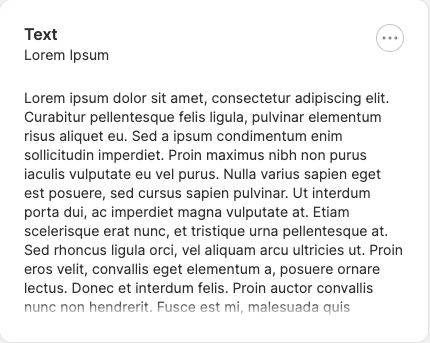
The Text widget allows the admin to include miscellaneous text on their dashboard.
Display Properties
| Name | Purpose | Required (Y/N) |
|---|---|---|
| Description | Personal widget description. | N |
Configurable Properties
| Name | Purpose | Required (Y/N) |
|---|---|---|
| Content | The text to display. | Y |
Top Coupons
The Top Coupons widget displays the most-redeemed coupon codes across the selected store views and date range, along
with the number of redemptions and the total discount applied.
Display Properties
| Name | Purpose | Required (Y/N) |
|---|---|---|
| Default Interval | Initial data time period to display. | Y |
Configurable Properties
| Name | Purpose | Required (Y/N) |
|---|---|---|
| Store Views | Which store views to include during calculation. | Y |
| Number of Coupons to Display | How many coupons should be displayed. | Y |